
P-152: Virtual World Concept Update 116: Texture Blending
I have figured out how to blend my terrain textures together. I have not completely finished the system yet, but I have proof of concept.
The general idea is the same as “texture splatting”, however, Texture Splatting requires an alpha map. This is a map of the whole terrain which is used to determine how much one texture should be blended into the next.
The problem for me was that my terrain is generated procedurally, so I cant have a single alpha map.
The solution occurred to me when I realised that the alpha map is essentially just a map of opacity values at any given altitude. So, if we assume that the terrains height is between 0 and 100, any height over 75 might be 100% grass, any height under 25 might be 100% sand. The values in the middle should be smoothly blended between the two, using a simple algorithm.
Producing this opacity value is actually quite easy, if you know the minimum and maximum height values for the range of heights that you are blending between. I simply rescale the height range so that it is between 0 and 1, that gives me the opacity of the second texture. I subtract this value from 1 to get the first textures opacity.
For the concept test, I simply used two textures, very simple blending, and I hardcoded the height ranges. This is the result:
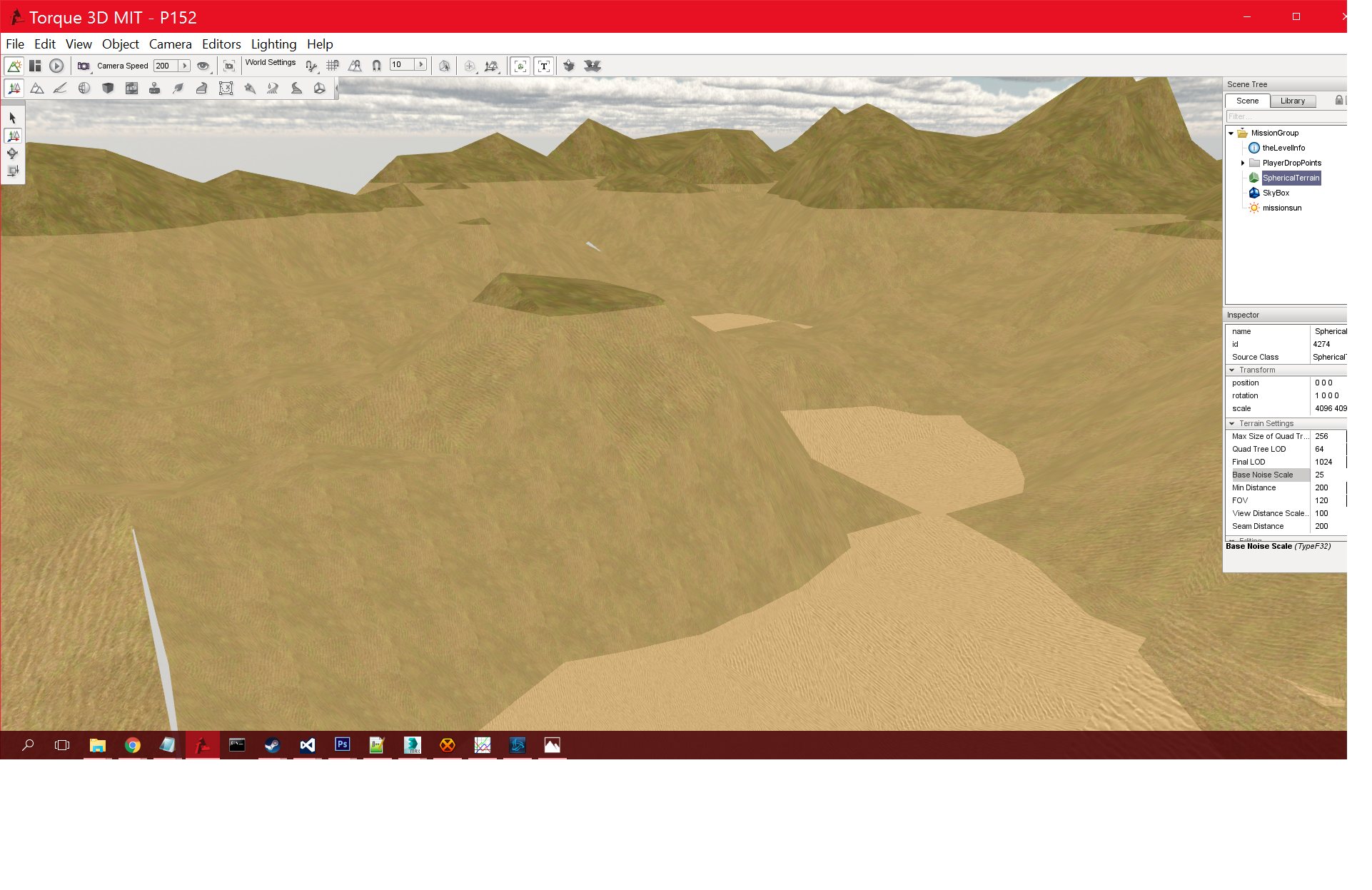
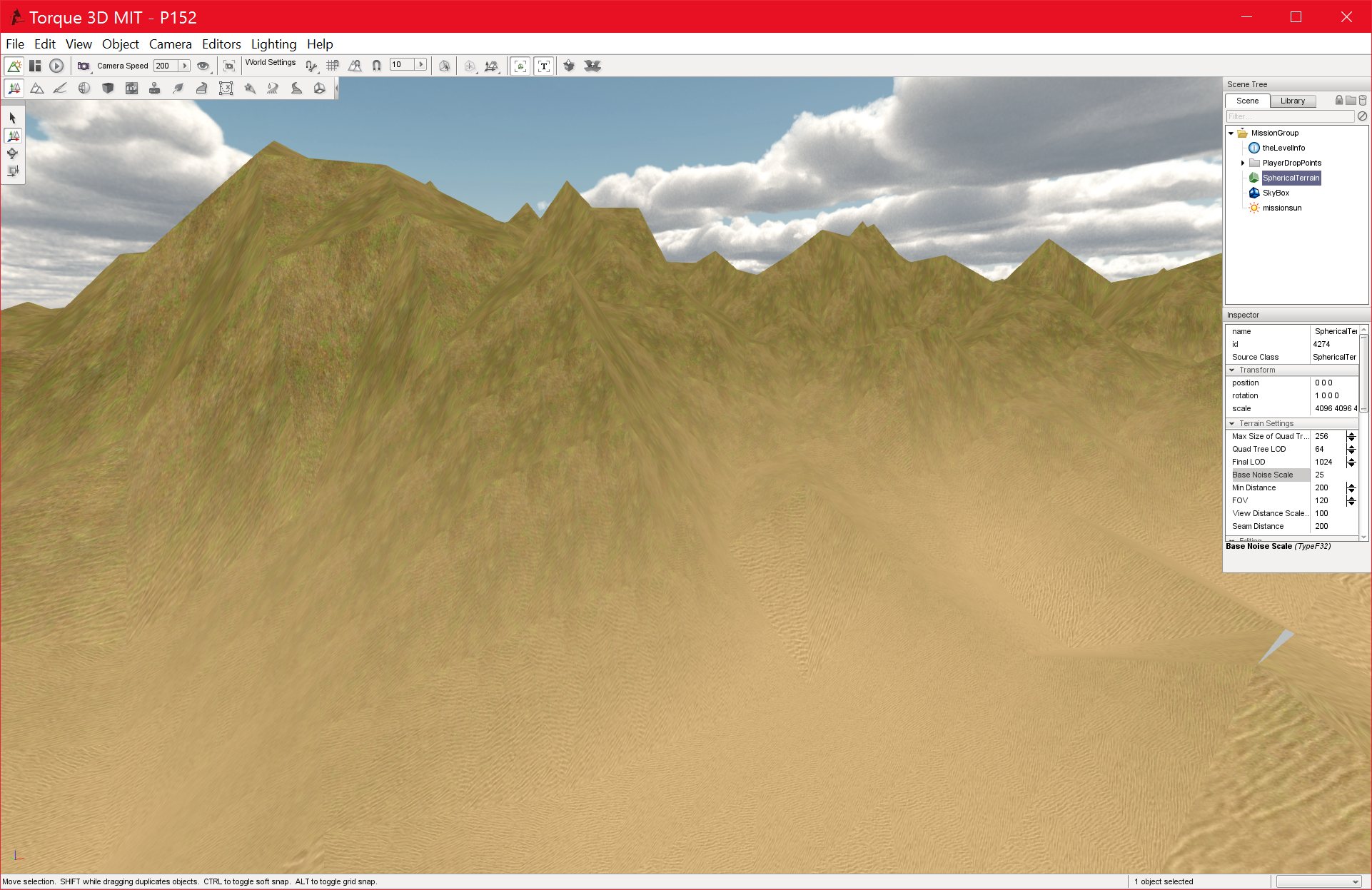
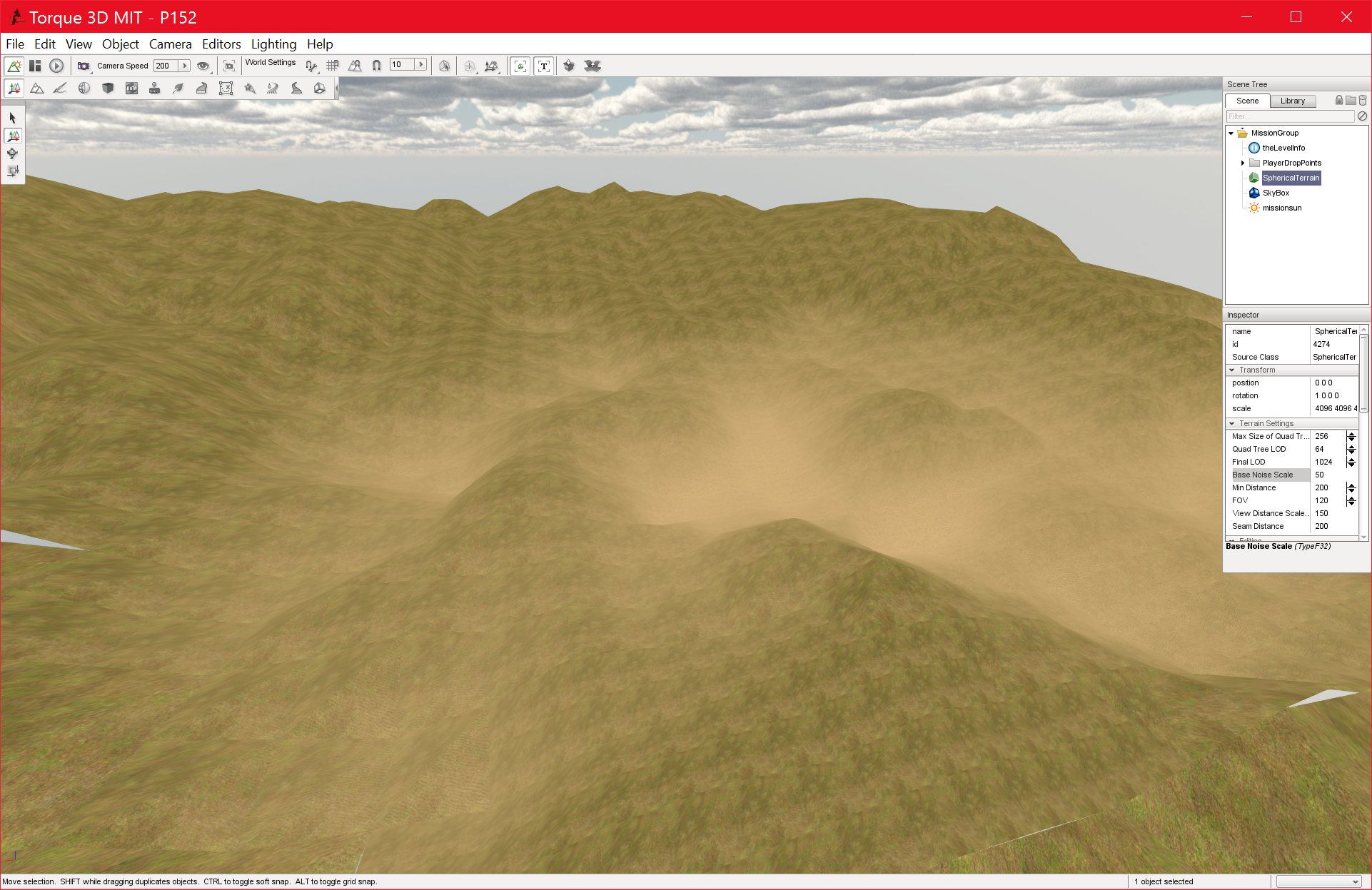
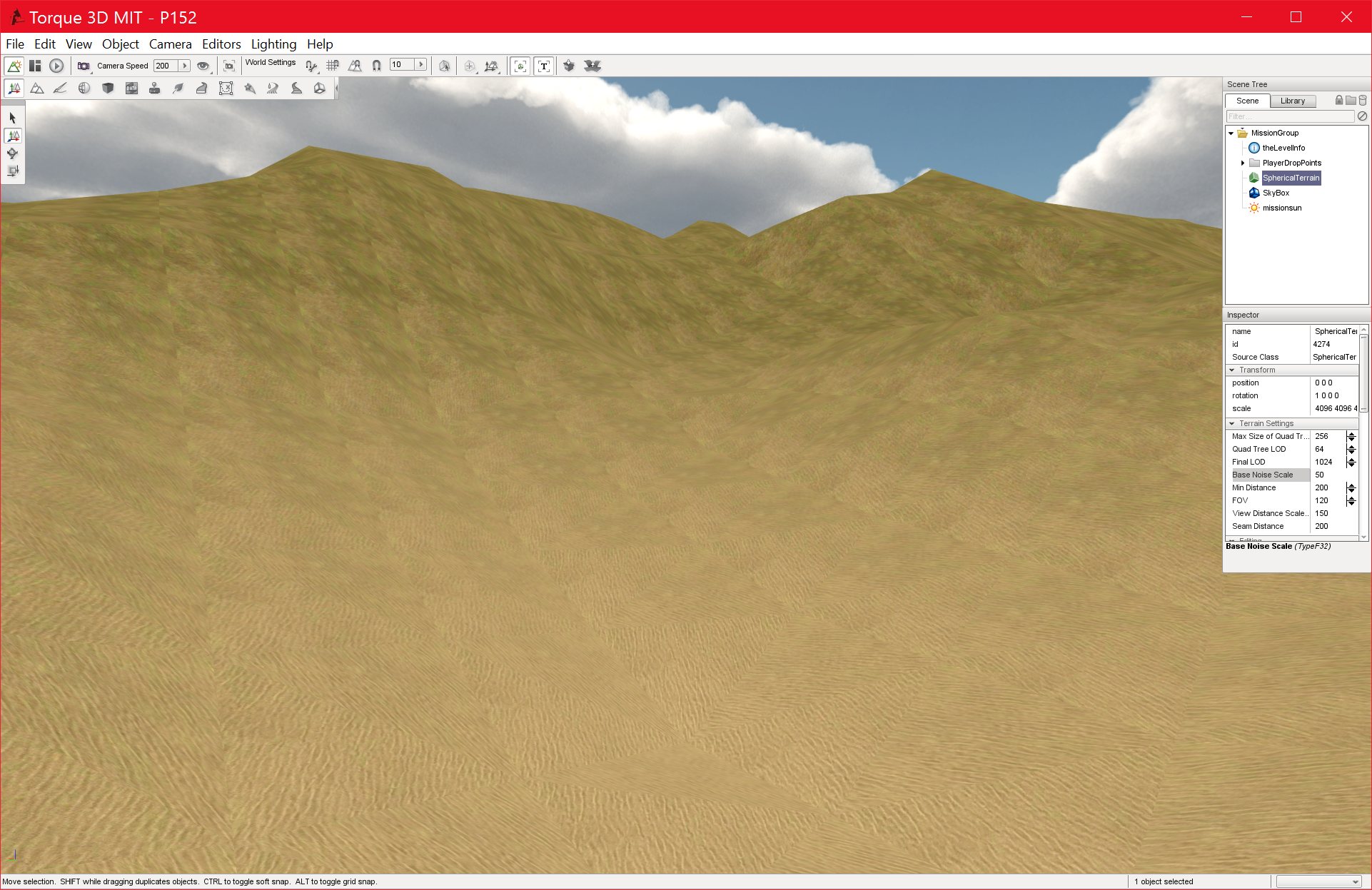
As can be clearly seen, the terrain gradually blends from 100% sand coverage to 100% grass coverage, with no seams in between. There is some repitition in this image, but that is due to the textures that I used, not the shader. I am confident that I can extend this system to cover all of the textures that I will be applying using a simple series of if statements to determine the range. This, however, is not ideal, and this leads me to the final problem in this system.
I do not know the exact scale of values in the terrain. They do not seem to be identical to the raw height values of the vertices of the spherical terrain, nor do they correspond to some known range, such as 0-1. They also change depending on the height scale of the terrain, which makes sense. My algorithm with not work unless I can determine the minimum and maximum height values of the terrain at the current scale. I am not sure how to get these values, and the fact that I can’t simply print out values from the shader is making things more complex. Once I solve this, I can simply the aforementioned IF ELSE statements to blend the textures at the correct heights.
This is my next, and possibly final, goal in MS1, other than some debugging and tidying up.
Below is a final image I took of the height range. The area in red is the blend region, the area above and below have hardcoded textures (100% opacity). I had to set the values for this region manually, which wouldn’t work for the final project, since the height scale is variable.
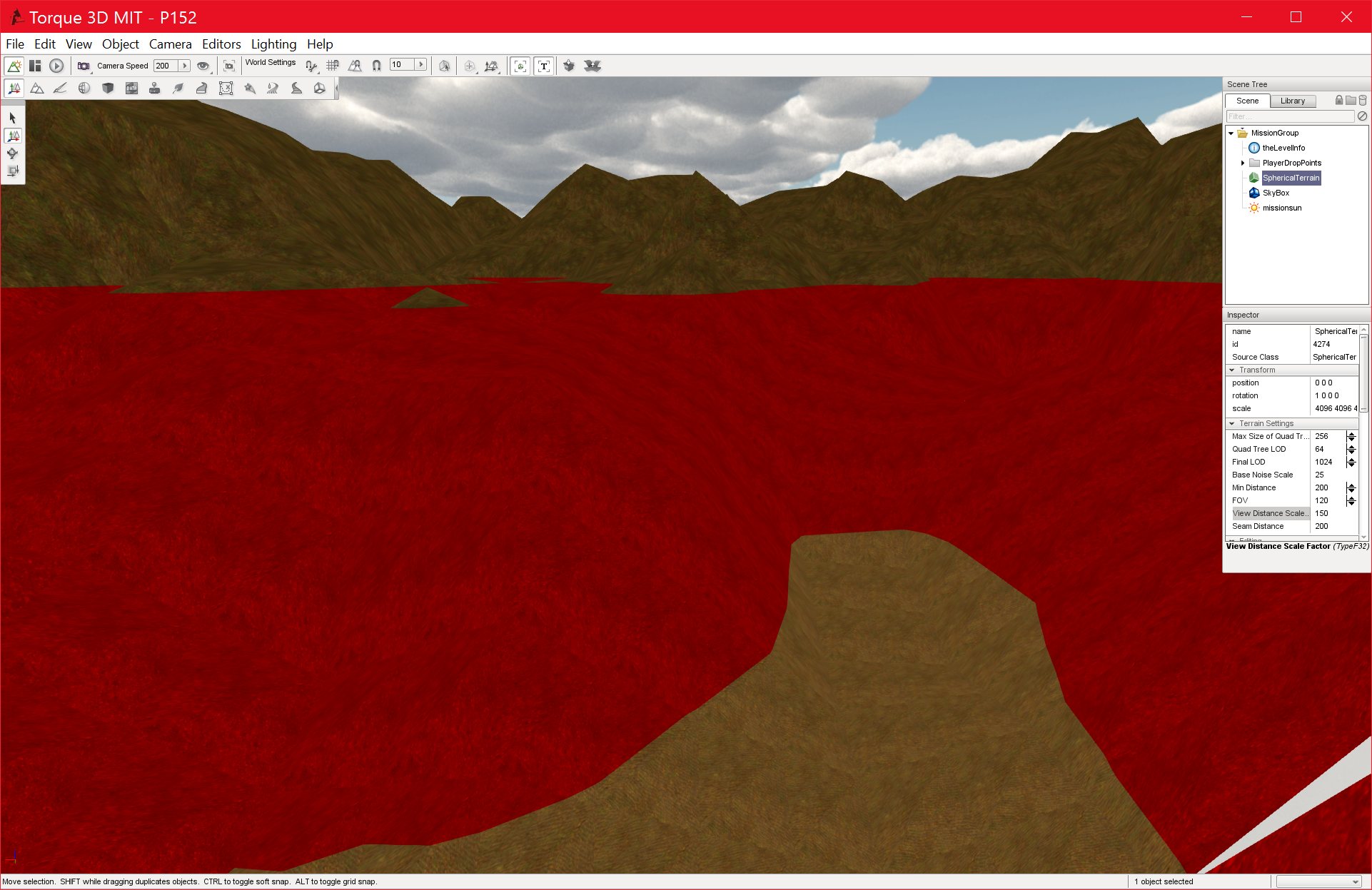
Finally, here is the Pixel shader that I used to generate this, very basic blending effect:
//————————————————————–
//Structures
//————————————————————–struct ConnectData {
//float4 HPOS : POSITION;
float2 texCoord : TEXCOORD0;
float3 pos : TEXCOORD1;
};
struct Fragout {
float4 col : COLOR0;
};//————————————————————–
//Main
//————————————————————–
Fragout main
(
ConnectData IN,
uniform sampler2D dirtgrass : register(S0),
uniform sampler2D grass1 : register(S1),
uniform sampler2D drygrass : register(S2),
uniform sampler2D grass2 : register(S3),uniform sampler2D rocks1 : register(S4),
uniform sampler2D rocktest : register(S5),uniform sampler2D sand : register(S6),
uniform sampler2D snowtop : register(S7))
{
Fragout OUT;//uses the base textures’ color to set difuse color
float4 diffuseColor = tex2D( dirtgrass, IN.texCoord );float4 someColor;
float OldMin = 0.94575;
float OldMax = 0.99;float NewMin = 0;
float NewMax = 1;float OldValue = IN.pos.z;
float NewValue = (((OldValue – OldMin) * (NewMax – NewMin)) / (OldMax – OldMin)) + NewMin;
//simple concept test of blending (two textures only):if(OldValue <= OldMin){
someColor = tex2D( sand, IN.texCoord );
OUT.col = someColor;
}else if (OldValue >= OldMax){
someColor = tex2D( grass2, IN.texCoord );
OUT.col = someColor;
}else{
//blend
float4 blend1 = tex2D( sand, IN.texCoord );//float4(1.0,0.0,0.0,1.0);
float4 blend2 = tex2D( grass2, IN.texCoord );//float4(0.0,0.0,1.0,1.0);float a1 = 1-NewValue;
float a2 = NewValue;
someColor = (blend1 * a1) + (blend2 * a2);
OUT.col = someColor;}
return OUT;
}
And the Vertex shader:
#define IN_HLSL
#include “shdrConsts.h”
#include “hlslStructs.h”
//—————————————————————
// Constants
//—————————————————————struct Appdata {
float4 position : POSITION;
float4 texCoord : TEXCOORD0;
};struct Conn {
float4 outHPOS : POSITION;
float2 outTexCoord : TEXCOORD0;
float3 pos : TEXCOORD1;
};
//—————————————————————
// Main
//—————————————————————Conn main(
Appdata In,
uniform float4x4 modelview : register(VC_WORLD_PROJ),
uniform float4x4 texMat : register(VC_TEX_TRANS1)
)
{
Conn Out;
//take vert and get coord by transforming by modelviewmatrix
Out.outHPOS = mul(modelview, In.position);
//set base texture coord
Out.outTexCoord = mul(texMat, In.texCoord);
float3 pos = In.position.xyz; //mul( cubeTrans, In.pos ).xyz;
Out.pos = pos;//mul(objToTangentSpace, In.position.xyz / 100.0);
return Out;
}
This is obviously very simple, and will be improved in the future, likely after I solve the height scaling issue.
![Spiritus Astrum [P0-EA1]: p1676: Early Access](https://i.imgur.com/IXVMUFo.jpeg "Spiritus Astrum [P0-EA1]: p1676: Early Access")

![Spiritus Astrum [P0-EA1]: p1675: Early Access](https://i.imgur.com/sGTgy9I.jpeg "Spiritus Astrum [P0-EA1]: p1675: Early Access")