
P-157: Resource Uploaded
I have submitted my path-following resource to Garagegames. It is available HERE.
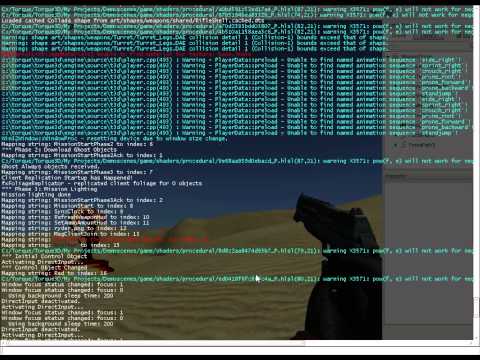
A video of the resource is here:
The text of the resource is as follows:
ForcePaths Path Following Resource
by Jack Stone · 01/18/2015 (3:17 pm) · 0 comments
To use this resource, simply create a path in the usual way (use the gui option under Library/Level/Path). Add as many nodes as you wish, and move them to where you would like them to be.
A video of the resource is here:
youtu.be/FV6lUiqSpmg
Make sure the “isLooping” property of the path is set if you wish the object to loop around the path, otherwise, it will only follow the path once.
Then, create a file called “Forcepath.cs” or similiar, and have it execute. Enter this code:
- echo(“ForcePath.cs”);
- echo(“Phoenix Game Development”);
- echo(“www.phoenxigamedevelopment.com”);
- function applyforces(%path,%force,%obj){
- %pos = getWords(%obj.getTransform(),0,2); //object position
- if(%obj.curnode $= “”){ //find the closest path node to this object
- %closest = 999;
- for(%i = 0;%i<%path.getCount();%i++){
- %dist = vectordist(%pos,%path.getObject(%i).getPosition());
- if(%dist < %closest){
- %closest = %dist;
- %obj.closestid = %i;
- %obj.curnode = %path.getObject(%i);
- }
- }
- }
- %closestnodepos = getWords(%obj.curnode.gettransform(),0,2);
- %dist = vectordist(%pos,%closestnodepos);
- if(%dist<1){//Object has reached this node
- if(%obj.closestid < %path.getCount()-1)
- %obj.closestid++;
- else{
- if(%path.islooping){
- %obj.closestid = 0;
- }
- else
- return;
- }
- %obj.curnode = %path.getObject(%obj.closestid);
- }
- //get a vector between both nodes:
- %pnodepos = %pos;
- %nnodepos = getWords(%obj.curnode.getTransform(),0,2);
- %vec = vectorsub(%pnodepos,%nnodepos);
- %vec = VectorNormalize(%vec);
- %vec = vectorscale(%vec,%force);
- %obj.SetTransform(vectorsub(%pos,%vec));
- cancel(%path.schedule);
- %path.schedule = schedule(5,0,“applyforces”,%path,%force,%obj,%endpath);
- }
- function applyforcesPlayer(%path,%force){
- %player = localclientconnection.getcontrolobject();
- %pos = getWords(%player.getTransform(),0,2);
- if(%player.curnode $= “”){
- %closest = 999;
- for(%i = 0;%i<%path.getCount();%i++){
- %dist = vectordist(%pos,%path.getObject(%i).getPosition());
- if(%dist < %closest){
- %closest = %dist;
- %player.closestid = %i;
- %player.curnode = %path.getObject(%i);
- }
- }
- }
- %closestnodepos = getWords(%player.curnode.gettransform(),0,2);
- %dist = vectordist(%pos,%closestnodepos);
- if(%dist<1){
- if(%player.closestid < %path.getCount()-1)
- %player.closestid++;
- else{
- if(%path.islooping){
- %player.closestid = 0;
- }
- else
- return;
- }
- %player.curnode = %path.getObject(%player.closestid);
- }
- //get a vector between both nodes:
- %pnodepos = %pos;
- %nnodepos = getWords(%player.curnode.getTransform(),0,2);
- /*
- //This code uses vectors determine the distance between the player and a point on an imaginary line from the closest path node to the next and previous
- //nodes on the path. Then, if this distance is close enough, the player is included in the force field, otherwise they are not.
- //This is not working 100% yet, so with it commented out, the player will always be included in the force zone, regardless of their position in the level.
- %inrange = 0;
- %prevnode = %player.closestid-1;
- if(%player.closestid <=0)
- %prevnode = %path.getCount()-1;
- %p1 = getWords(%path.getObject(%prevnode).getTransform(),0,2);
- //for the player, we need to determine if they are close enough to the ForcePath to be affected:
- //Vector Math time again!
- %d1 = vectordist(%pos,%closestnodepos);
- %v1 = vectorsub(%nnodepos,%p1);
- %v1 = vectornormalize(%v1);
- %v2 = vectorscale(%v1,%d1);
- %pos3 = vectoradd(%nnodepos,%v2);
- %dist2 = vectordist(%pos,%pos3);
- if(%dist2 < 15)
- %inrange = 1;
- %prevnode = %player.closestid+1;
- if(%prevnode >=%path.getCount())
- %prevnode = 0;
- %p1 = getWords(%path.getObject(%prevnode).getTransform(),0,2);
- //check second vector:
- %d1 = vectordist(%pos,%closestnodepos);
- %v1 = vectorsub(%nnodepos,%p1);
- %v1 = vectornormalize(%v1);
- %v2 = vectorscale(%v1,%d1);
- %pos3 = vectorsub(%nnodepos,%v2);
- %dist2 = vectordist(%pos,%pos3);
- if(%dist2 < 15)
- %inrange = 1;
- */
- %inrange = 1;
- if(%inrange == 1){
- %vec = vectorsub(%nnodepos,%pnodepos);
- %vec = VectorNormalize(%vec);
- %vec = vectorscale(%vec,%force);
- %player.applyimpulse(%pos,%vec);
- }
- cancel(%path.schedule);
- %path.schedule = schedule(50,0,“applyforcesplayer”,%path,%force);
- }
To use the resource, you must call one of the two functions. For an object (static shape, item, etc) use this function:
applyforces(PATHNAME,FORCE,OBJECTNAME);
So, for a path called “ForcePath”, a force of 0.02, and an Object called “tstobj”:
applyforces(“ForcePath2”,0.02,tstobj);
A low “force” value works best here. Higher force values mean faster speeds.
To use the resource with a player, call the following function:
applyforcesPlayer(“ForcePath”,300);
Higher force values are better here, since the player code uses “applyimpulse()” to move the player, rather than setTransform();
![Spiritus Astrum [P0-EA1]: p1677: Early Access](https://i.imgur.com/ECxVQGm.jpeg "Spiritus Astrum [P0-EA1]: p1677: Early Access")
![Spiritus Astrum [P0-EA1]: p1676: Early Access](https://i.imgur.com/IXVMUFo.jpeg "Spiritus Astrum [P0-EA1]: p1676: Early Access")
